
Plugin

WPAuto Post – WordPress Auto Post & Autoblogging Plugin

WPAuto Post

Overview

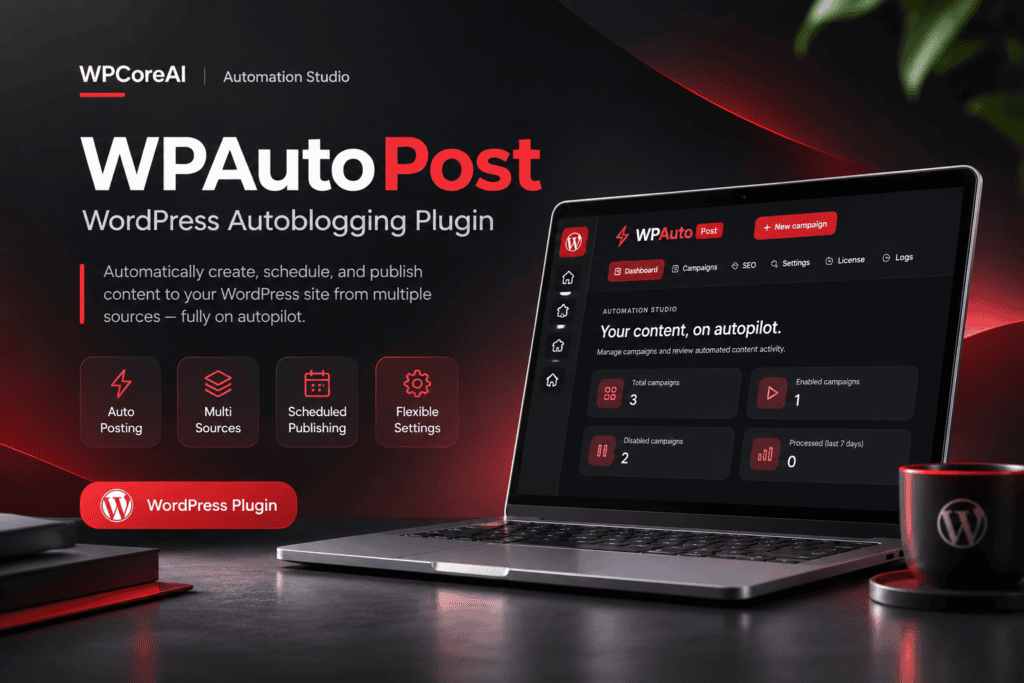
WPAuto Post is a WordPress auto post plugin designed for AI-powered content creation, RSS feed importing, and automated publishing. Built for bloggers, publishers, affiliate marketers, and website administrators, it brings content generation, source importing, campaign scheduling, and SEO metadata management into one WordPress dashboard.

Create AI-generated articles using supported AI providers, import content from RSS feeds and accessible websites, and manage multiple automation campaigns with customizable publishing rules. Choose to publish automatically or save posts as drafts for editorial review.

A WordPress autoblogging plugin for repeatable publishing

Moving content between sources, writing tools, and WordPress takes time. WPAuto Post brings those steps into configurable campaigns, each with its own source, content rules, images, publishing destination, and schedule.

Generate articles from keywords and custom prompts, collect articles from RSS feeds, or extract selected content from individual pages and article listings. Choose automatic publishing, draft, or pending status to fit your editorial process.

Control what reaches your website

Set inclusion and exclusion keywords, apply length and date filters, customize titles, and remove unwanted content elements. Assign authors, categories, and tags so new content arrives with the organization your site needs.

Image options include source images, your Media Library, Pixabay, Pexels, and OpenAI image generation. You can also add relevant YouTube videos, translate content through optional services, and generate SEO metadata for supported SEO plugins.

Separate campaigns for different content needs

  • Editorial blogs: turn topic lists and reusable prompts into articles saved for review.
  • Curated publications: import content from feeds and accessible sources you have permission to republish.
  • Affiliate websites: build Amazon product content and optional WooCommerce product listings.
  • Multilingual websites: translate imported content and assign a publishing language through WPML or Polylang.

WPAuto Post suits websites that need configurable content automation with editorial controls. Connect only the services your workflow requires, review the results, and enable scheduled processing when your campaigns are ready. External services require their own accounts or credentials where applicable, and usage charges are separate.

Features

Content Sources and Import Campaigns

  • AI article campaigns: generate titles and articles from keywords using a connected AI provider.
  • RSS feed imports: configure one or multiple feed URLs, rotate between feeds, and restrict processing to recently published items.
  • Single-page extraction: import a title, article content, and images from an accessible source URL using automatic detection or visual selection.
  • Multi-page imports: collect article links from listing pages, select links from multiple sections, detect new articles, and configure pagination through visual selection or a manually supplied next-page URL.
  • Supplied HTML for scroll-based listings: provide HTML collected after scrolling when configuring an import. This option uses supplied HTML rather than an automated browser that scrolls websites.
  • Google News campaigns: collect article links from a configured Google News source page using visual link selection, then process the linked source articles.

Website extraction depends on accessible source content and page structure. Changes to source websites can require adjustments to campaign selections.

AI Providers and Writing Controls

  • Provider selection: connect OpenAI, OpenRouter, DeepSeek, Google Gemini, Anthropic Claude, or xAI Grok through the included integrations.
  • Model settings: use global model settings or choose a model for an individual campaign. Custom model identifiers are available for supported provider settings.
  • OpenAI model refresh: retrieve an updated model list from your OpenAI account. A listed model must still be accessible to your account and compatible with the plugin's request format.
  • Multiple API keys: store multiple keys for a provider, rotate between them, and attempt another configured key after an AI error.
  • Keyword workflows: enter multiple keywords, rotate through them, use a keyword as the article title, or limit a campaign to one article per keyword.
  • Custom writing prompts: provide separate title and content instructions, with keyword and title placeholders for reusable briefs.
  • Article length guidance: request a maximum word count. Actual output length depends on the selected model and its response limits.
  • Generation parameters: configure token limits and supported sampling parameters. Available parameters vary by provider.
  • AI processing in templates: use AI instructions within content templates to rewrite source material or generate text from source details.

Title and Content Editing Rules

  • Title extraction: use automatic detection, visual selection, or the source page's Open Graph title where available.
  • Title formatting: apply a custom title template, limit title characters, append extension text, and search for words to replace or remove.
  • Content templates: arrange available content components with the template builder or write a custom template using source and product placeholders.
  • Text replacement: configure words or phrases to replace or remove from article content.
  • Content cleanup: remove the first image or all images, hyperlinks, selected paragraphs, and elements identified by class or ID. Additional options remove selected heading, line-break, SVG, script, and noscript markup.
  • Link rules: open imported links in a new tab, add nofollow attributes, or automatically link chosen keywords to specified URLs with replacement-count limits.
  • Content trimming: apply a character limit and optional extension text.
  • Title-only link posts: create posts that redirect visitors to the source URL when the corresponding campaign and global redirect settings are enabled.

Filtering and Duplicate Controls

  • Required keywords: process articles containing any or all specified words, with an option to check the title only.
  • Excluded keywords: skip articles containing specified words in the title or article content.
  • Word-count filters: reject content shorter or longer than your configured limits.
  • Publication-date filters: restrict applicable imports to articles published after a selected date.
  • Duplicate checks: check processed source URLs and existing titles to reduce repeated imports. An option permits duplicate posts where supported by the campaign workflow.
  • Campaign output limits: set the maximum number of posts a campaign may generate.

WordPress Publishing and Organization

  • Publishing destinations: create posts, pages, registered custom post types, or WooCommerce products when the required post type is available.
  • Editorial status: publish automatically or save content as draft or pending.
  • Author and date settings: assign a WordPress author or extract source-author information in applicable imports. Preserve the original publication date when it can be detected.
  • Category assignment: select destination categories, extract source categories where supported, or map keywords to category IDs. Mapping controls include title and content checks, case-sensitive matching, and precedence over default categories.
  • Tag assignment: select existing tags, extract source tags, map keywords to tags, use campaign keywords or title words, or select a limited number of tags randomly from a supplied list. Global stop words help exclude unwanted title words.
  • Custom fields and excerpts: populate named post metadata fields with configured values or extracted source content. The excerpt field can also be populated through this configuration.

Featured Images and Media Handling

  • Featured-image sources: use detected source images, visual selection, a selected Media Library image, Pixabay, Pexels, or OpenAI DALL-E image generation.
  • Image search and prompts: search with a configured keyword, parent keyword, or article title where applicable. AI image prompts support title and keyword placeholders, with model and size settings for supported image workflows.
  • Source-image controls: use the first content image or Open Graph image as the featured image, and extract original image URLs from configured lazy-loading data attributes.
  • Image text settings: use title-based filenames, set featured-image alternative text from a title or search keyword, and replace or remove words in image titles and alternative text. Applicable workflows can reuse translated titles or alternative text.
  • Content-image alternative text: apply the post title to all content-image alternative text or fill only empty alternative text.
  • Local image storage: download imported content images to your server, resolve relative image URLs, and simplify image markup to basic attributes.
  • Featured-image review rule: hold a post as pending when no featured image is available.
  • Additional image controls: remove featured images, permit images with duplicate filenames, disable gallery images, and limit imported Amazon gallery images.
  • External featured images: use the optional Featured Image from URL plugin for the included remote featured-image workflow. Amazon campaigns also include source-hosted image options.

Images Within Articles

  • Additional content images: insert images from the Media Library, Pixabay, Pexels, or OpenAI image generation.
  • Image quantities: configure one to five additional images. The Media Library selector accepts a pool of up to 30 images for selection during processing.
  • Placement rules: use fixed placement options or paragraph-based distribution, with controls for the starting paragraph and spacing between images.
  • Image sizes: choose from registered WordPress image sizes for supported content-image sources.
  • Image processing: enable quality presets, select an output format, set maximum dimensions, and request metadata removal. Format conversion and processing depend on server capabilities, including WebP support where applicable.

YouTube Video Integration

  • Video discovery: find videos by keyword, channel, or playlist, with optional parent-keyword searches and rotation between multiple playlists.
  • Search controls: configure result limits and ordering, publication-date boundaries, region, category, duration, definition, video license, SafeSearch, and embeddability filters where supported by the selected import method.
  • Video exclusions: skip live videos and Shorts, and track previously used videos within a campaign to reduce repeated selections.
  • Placement: insert a video at the top, middle, or bottom of content, or place it after a paragraph matching configured keywords.
  • Embed settings: configure dimensions, request muted autoplay, and request captions when available. Player behavior remains subject to YouTube and browser restrictions.
  • Video metadata: optionally import video tags and available comments, with a configurable comment-count setting.
  • API management: enable caching and detailed diagnostic logging to help investigate video-selection and connection issues.

Amazon Product and Affiliate Content

  • Product sources: configure imports using keywords, Amazon URLs, or supplied Amazon page HTML, with region selection and keyword rotation.
  • Product filters: filter by price range, skip items with unavailable prices or detected out-of-stock status, or omit price details from imported output.
  • Product templates: arrange available descriptions, specifications, technical details, comparison information, prices, images, source links, and purchase links with product placeholders.
  • Affiliate settings: add an Amazon affiliate tracking ID and choose a custom Buy Now button image for applicable output.
  • WooCommerce publishing: create supported product types with product links, price fields, short descriptions, categories, tags, and gallery images. WooCommerce is required for product publishing.
  • Price refresh: enable internal-cron checks for eligible imported product prices after 24 hours. Successful refreshes depend on accessible Amazon pages and detectable prices.
  • Location configuration: supply Amazon session and location-cookie values when needed for the selected region.

Translation and Rewriting Integrations

  • Translation providers: translate article content through Google Cloud Translation, Microsoft Translator, or DeepL using your own credentials. DeepL includes an API Free endpoint option.
  • Google Translator option: a separate keyless Google translation connection is included. This uses a web translation endpoint rather than an authenticated Google Cloud Translation account and depends on endpoint availability.
  • Title translation: optionally translate article titles alongside content.
  • Multilingual assignment: assign generated posts to a configured WPML or Polylang language when the selected plugin is active. This assigns a language to the post; it does not create a linked set of translated copies.
  • External rewriting: connect WordAI or Spin Rewriter to rewrite article content and optionally titles, with the available provider-specific rewriting settings.

SEO Metadata Workspace

  • AI metadata generation: generate SEO titles, meta descriptions, focus keywords, and WordPress tags for enabled posts, pages, and products.
  • New and existing content: generate metadata during campaign processing or process existing content manually and through a separate scheduled SEO workflow.
  • Metadata instructions: customize prompts for titles, descriptions, keywords, and tags, with target character lengths and requested keyword or tag counts.
  • Field controls: select which metadata fields to generate and configure overwrite options.
  • SEO plugin integrations: included connectors cover Yoast SEO, Rank Math, All in One SEO, SEOPress, The SEO Framework, Squirrly SEO, SEO Simple Pack, Simple SEO, WP Meta SEO, Slim SEO, and SmartCrawl SEO. Available destination fields differ between plugins.
  • Metadata language: choose an output language using the included translation options, including optional AI translation.
  • Review tools: inspect generated metadata in a searchable table, filter by content type, edit entries, regenerate results, and review SEO processing logs and counts.

Scheduling, Campaign Management, and Logs

  • Campaign schedules: set processing intervals in minutes, hours, or days, and restrict automatic processing to a configured daily time window.
  • Run and pause controls: run campaigns manually, enable or disable individual campaigns, pause their automatic processing, or pause campaign cron globally.
  • External cron: configure protected external cron URLs for campaign processing, individual campaigns, and the separate SEO process.
  • Automation Studio overview: switch between board and list views, search campaigns, filter by source, and inspect active or paused status, generated-post counts, last recorded runs, and cron information. The overview displays the latest 60 campaigns.
  • Recorded processing history: review counts for the last seven recorded days. These counts represent processing activity rather than guaranteed published-post totals.
  • Reusable campaigns: duplicate campaigns and import or export campaign configurations as JSON, including bulk export.
  • Bulk management: activate, deactivate, export, or delete selected campaigns. Trash controls support restoration and permanent deletion.
  • Generated-content management: review a campaign's generated posts, delete generated items, and reactivate feed links for processing again.
  • Processing logs: inspect campaign status, source, summaries, dates, and detailed messages, or clear stored logs. Separate logs cover SEO processing.
  • Advanced extraction and proxies: enable the advanced extraction option and connect through an optional proxy list, including authenticated proxies and rotation.

Scheduled work requires functioning WordPress cron or a configured external trigger. Processing intervals and time windows determine eligibility; they do not guarantee an exact publication time.

Requirements

WordPress and PHP

  • WordPress: version 6.2 or higher.
  • PHP: version 8.0 or higher.
  • Administration access: permissions to install plugins and configure campaign settings.
  • Customer activation: licensed customer installations require the customer package generated by WPCoreAI License Manager and a WPCoreAI-issued key for this product.

Server Capabilities

  • PHP extensions: DOM and mbstring for campaign content processing.
  • PHP cURL: required for Amazon and Google News processing, proxy connections, and translation routes that use cURL.
  • Image processing: PHP GD with the relevant format support for the included quality-processing workflow. WebP conversion requires WebP-capable image functions.
  • File access: a writable WordPress uploads directory for downloaded images and media files.
  • Network access: outbound connections to selected content sources, APIs, image services, and the licensing service used by the customer package.
  • Scheduling: functioning WordPress cron or a configured external cron trigger for automatic processing.

Accounts and External Services

  • AI text generation: an API account and valid key for the selected provider: OpenAI, OpenRouter, DeepSeek, Google Gemini, Anthropic Claude, or xAI Grok.
  • AI image generation: an OpenAI API key with access to the configured image model.
  • Stock-image integrations: a Pixabay or Pexels API key when using that service.
  • YouTube integration: a Google API project with YouTube Data API access and a valid API key, subject to available quota.
  • Authenticated translation: the selected Google Cloud Translation, Microsoft Translator, or DeepL credentials. Microsoft settings also include a region.
  • External rewriting: a WordAI or Spin Rewriter account with the credentials and API access required by the selected service.
  • Amazon affiliate links: an Amazon Associates tracking ID when using affiliate attribution.
  • Proxy connections: your own working proxy endpoints and credentials where required.

Optional WordPress Plugins

  • WooCommerce: required only for WooCommerce product publishing.
  • WPML or Polylang: required only for assignment to languages managed by the selected multilingual plugin.
  • Featured Image from URL: required for the included FIFU remote featured-image workflow.
  • A supported SEO plugin: required to use the corresponding integration for storing generated SEO metadata in that plugin's fields.

Third-Party Charges

The plugin purchase does not include external API credits, paid service subscriptions, premium integration plugins, or proxy services. Providers may apply usage charges, quotas, account restrictions, or separate subscription fees. Only the services enabled in your workflow are needed.