Design, branding and typography
Start with White + Red, switch to Glassmorphism / Gradient Dark, or choose Black / Dark. Readers can cycle between the three modes from the footer, and their choice is remembered in their browser. Your site-wide default remains available in the Customizer.
- Branding that fits your publication. Use a WordPress Custom Logo or a text logo with your own name, font, size, weight, color and decoration. Set your site icon through WordPress Site Identity.
- Local typography. Choose Manrope, system fonts or Georgia for reading and headings. Text branding also offers Lobster Two. Bundled fonts load from your site without a remote font service.
- Control over the details. Adjust body and heading sizes, line heights, reading and site widths, gutters, spacing, corner radii, buttons, form fields and card presentation. White-mode colors remain saved when you select a dark preset.
- Editable interface wording. Change the supplied strings exposed in the theme’s Text sections. Translation files can use the included POT template; your own site content and saved text remain yours to translate.
Most design options are grouped under Appearance → Customize → WPCoreAI — Design & Layout. Preview your choices, then select Publish to save them.
Journal homepage with three hero options
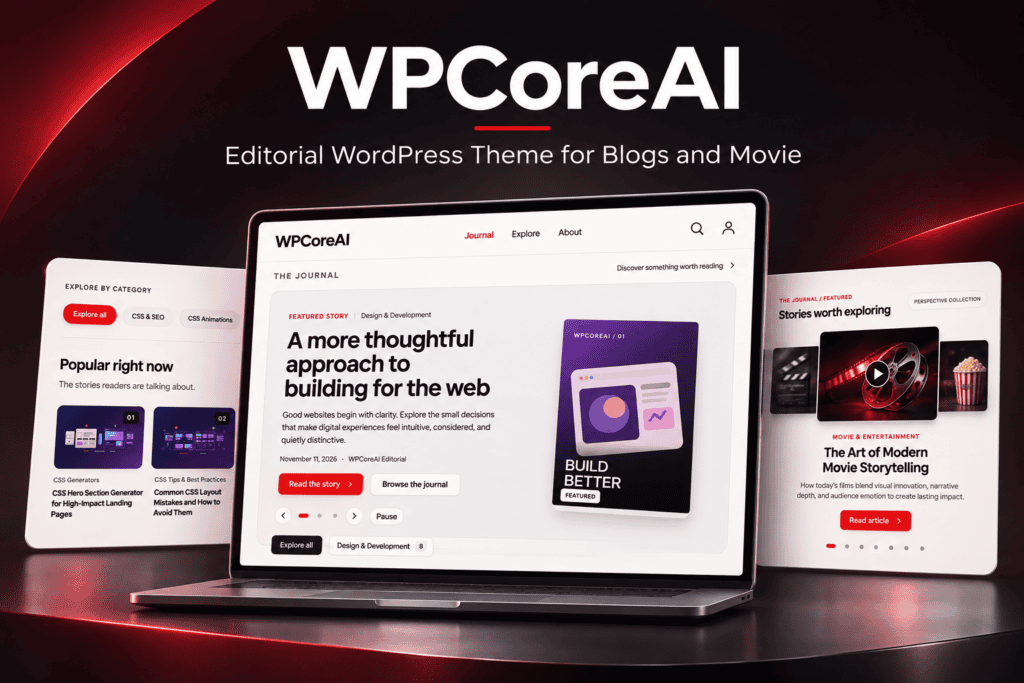
The dedicated journal homepage combines an introduction, a hero, category navigation, popular articles and recent posts. Choose one of three hero sources:
- Latest posts: feature up to three public, unprotected stories, with priority for sticky posts. Titles, excerpts, author details, dates and article links bring readers into the story. Image and illustration fallbacks cover missing media; when no usable posts exist, the marketing hero is used.
- Marketing: use three branded slides with editable copy, local illustrated backgrounds and configurable tools links to introduce your publication or project.
- 3D Coverflow: display up to ten posts in a layered image carousel with selected-story details, article links, arrows, dots, keyboard navigation and swipe handling. Autoplay timing is configurable, and a reader’s explicit pause is retained during interaction.
Use Minimal Pills for horizontally scrolling category navigation or Classic for category links. Set article counts and poster columns to suit your archive. Popular articles are ordered by comment count, then date; recent articles surface your newest posts. The original card design uses a popular-story carousel, while alternative designs use a grid.
Homepage sections are curated previews. Assign a separate Posts page for the complete paginated journal. The theme’s front-page template owns the homepage, including when WordPress is set to use a static page; the selected page’s editor content is not displayed there.
Eleven post card designs for every collection
Choose the original cards or one of ten alternatives for post listings. The same design choice connects supported homepage sections, blog and archive listings, search results and related articles.
Included post card designs
| Design |
How it presents your content |
| Default — original cards |
Original blog cards, portrait homepage cards and compact related-story cards. |
| Ultra Minimal Grid |
Simple poster cards with titles and metadata. |
| Compact Cinema Grid |
Compact cards with an optional rating chip. |
| Editorial Mosaic |
An editorial arrangement with index and category labels. |
| Floating Poster Cards |
Raised poster styling with an item index. |
| Glassmorphism Gallery |
Glass surfaces with a directional arrow detail. |
| Cinematic Spotlight |
A prominent first card with an excerpt and optional rating. |
| Gradient Dark Gallery |
Gradient styling with optional ratings. |
| Full Poster Overlay |
Titles and category information layered over the poster. |
| Magazine Split Grid |
Numbered split cards with excerpts, links and optional ratings. |
| Classic DVD Library |
A shelf-and-case presentation with a secondary label. |
Add primary and secondary labels and an optional 0–10 rating through WPCoreAI — Post Loop Data in the content editor. Ratings appear in designs that include a rating element. Missing labels can fall back to assigned theme taxonomy terms, categories and the publication year.
Images, spacing and pagination
Adjust card columns, gaps, padding, title sizes, shadows and excerpts. Select image presentation separately for the homepage, post loop and single posts. Available choices include Theme design default, Auto, Square, 4:3, 4:5, 3:4, 21:9, 16:9 and 1.91:1; the homepage can inherit the loop ratio. Local illustrations provide a fallback where featured media is missing.
Numbered WordPress pagination is included, with ten additional styles: Glass Capsule, Floating Orbs, Premium Navigation, Editorial Underline, Soft Square, Segmented Control, Progress Rail, Editorial Split, Neon Edge and Compact Counter. These change the presentation of page links, so readers can continue through the archive without an infinite-scroll interface.
Seven single-post layouts and a better reading experience
Choose Default, Swiss, Glass, Pastel, Dashboard, Editorial or Modern Compact as your site-wide single-post design. These are article layouts, not separate admin dashboards or imported demo sites.
- Default combines featured media, article text and familiar publication details.
- Swiss, Glass and Pastel offer alternative compositions; Pastel includes an underline treatment.
- Dashboard places article information, topics and sharing links in supporting panels, with room for widgets.
- Editorial provides another dedicated reading composition.
- Modern Compact combines main media, an optional small poster, categories, configured custom fields, taxonomy groups and an external video-source link.
Show or hide featured media, author and date, breadcrumbs, the author box, related articles and Previous/Next navigation. Set a reading width or enable a right sidebar. Related stories show up to three unprotected posts, preferring shared categories. An optional reading-progress bar lets readers see how far they have travelled through an article; its color and thickness are adjustable.
The seven designs are selected site-wide. Per-post settings include featured media, video metadata and card labels or ratings; optional ACF fields add structured content. There is no stock per-post selector for the seven article designs.
WordPress comments include comment lists, pagination, replies and the reply form. Separate theme controls can disable comments on posts or pages without deleting existing comments. WordPress Discussion settings and each item’s discussion settings still apply.
Headers, menus, footer and archive pages
- Three header designs: Default, Floating Glass and Kacang Compact. They combine branding, desktop navigation, compact menus and search in different arrangements.
- Menus with a submenu level: assign Primary Navigation and Footer Navigation in WordPress. Unassigned primary menus use available Home, Posts and optional configured Support links. Mobile menus, disclosure buttons and search panels include keyboard controls. Search opens standard WordPress results.
- Header options: control visibility, sticky behavior, search and account links, plus applicable sizing and branding settings. Floating Glass adds an optional call to action, account icon and White-mode color overrides.
- A configurable footer: show or hide the footer, choose split or centered alignment, edit copyright text, assign a footer menu and display saved site identity. When no menu is assigned, valid Home, Posts and privacy-policy links are used where available. The WPCoreAI author credit remains.
- Complete publication routes: standard pages, the posts index, category, tag, author, date and enabled custom-taxonomy archives, search results, empty states and a 404 page with recovery links. Archive controls cover titles, descriptions, introductory labels, search wording and category or taxonomy navigation.
- One Sidebar widget area: available on the blog and archives, with an optional right sidebar on posts. Ordinary pages and search results do not use this theme sidebar.
Block editor support and featured video
Write with the WordPress block editor or classic content editor. The theme supports wide and full alignments, responsive embeds, featured images, galleries, captions, tables, code and multipage content, with an editor stylesheet to support the writing workflow. Core shortcodes remain available; third-party blocks and shortcodes require their own plugins.
One featured video source per post
Select None, YouTube, a direct MP4/WebM URL or a supported Media Library video in WPCoreAI — Single Post Video. A YouTube iframe loads after a visitor clicks the player and uses the privacy-enhanced embed host. HTML5 video uses the browser’s player and does not preload the video by default.
Set the player’s Auto, 16:9 or 4:3 ratio, maximum width, radius, background and poster image. A global enable switch and default source guide unconfigured posts. Options include mute, loop, controls and muted HTML5 autoplay, subject to browser policy and reduced-motion preferences. A play/pause control remains available when native HTML5 controls are hidden. YouTube playback needs an available video and access to the service; direct files need a browser-supported codec and an accessible host.
Modern Compact can show an external source link. It is not a multi-server video selector. When an ACF main-image override is used in that layout, it takes priority over the featured video.
Custom taxonomies, Advanced Custom Fields and Easy Digital Downloads
Two optional custom taxonomies — included in the theme
Create two additional ways to group content, such as topics and collections. Each slot starts disabled and provides labels, a permanent taxonomy key, a permalink base, hierarchical or flat organization, public content-type assignments, editor/REST visibility, navigation-menu availability and admin columns. Assigned terms can supply card labels and appear in supported article and archive views.
Taxonomies are registered by the theme. Keep used keys stable and plan a migration if you later switch themes; changing a key does not move existing terms.
Advanced Custom Fields — optional plugin
With Advanced Custom Fields installed separately, define up to 50 supported fields or reuse supported standalone existing fields. The integration covers text, number, textarea, select, checkbox, radio, true/false, date, URL, image, taxonomy and post object fields.
Choose where values appear in post cards and single posts, set their order, display labels, prefixes and suffixes, assign a CSS class for styling, and hide empty values. Image fields can supply loop posters and independent main-image or small-poster overrides in Modern Compact. For example, a review publication can show a release date and selected topic beside a poster without adding that information manually to every card.
These supported types use free ACF functionality; ACF PRO is not required for this integration. Values are entered in the post editor. Generic field output is intended for posts, and removing a display definition does not delete saved post values. If ACF is inactive, the core theme remains usable and native image fallbacks are available.
Easy Digital Downloads — optional plugin
Use Easy Digital Downloads when you want to sell digital products alongside your publication. Standard theme content templates can host EDD product content, purchase controls, cart and checkout output, and customer account pages. Point the header account link to your chosen account page.
EDD supplies the products, cart, checkout, purchase history and profile tools. Payment processing, order delivery, taxes, email and any software licensing belong to EDD, its extensions and payment services. The theme does not include dedicated store templates, a gateway, paid extensions or their licenses.
Accessibility, SEO support and customization
Skip links, semantic page structure, labelled controls, visible focus styles, reduced-motion rules and keyboard-accessible menus help readers move through the site. Native menu and search fallbacks remain available without JavaScript. Translation-ready strings and an included POT template support localization.
WordPress title and feed support are included. Optional VideoObject structured data can describe a fully specified, publicly accessible featured video. It starts disabled and includes safeguards for hidden or incomplete players, a Yoast graph adapter and suppression for recognized competing schema providers. Configure structured data with your actual SEO setup to avoid duplication.
For small changes, use Additional CSS. For template or code changes, use a child theme to preserve your work during updates.