WPCoreAI AdSuite Features
Core ad management and delivery are included in version 1.0.0. The Premium controls described below are implemented in the plugin and require a store-issued build with the WPCoreAI licensing client and a verified AdSuite activation. They remain locked in the source package.
Ad Management Dashboard and Previews
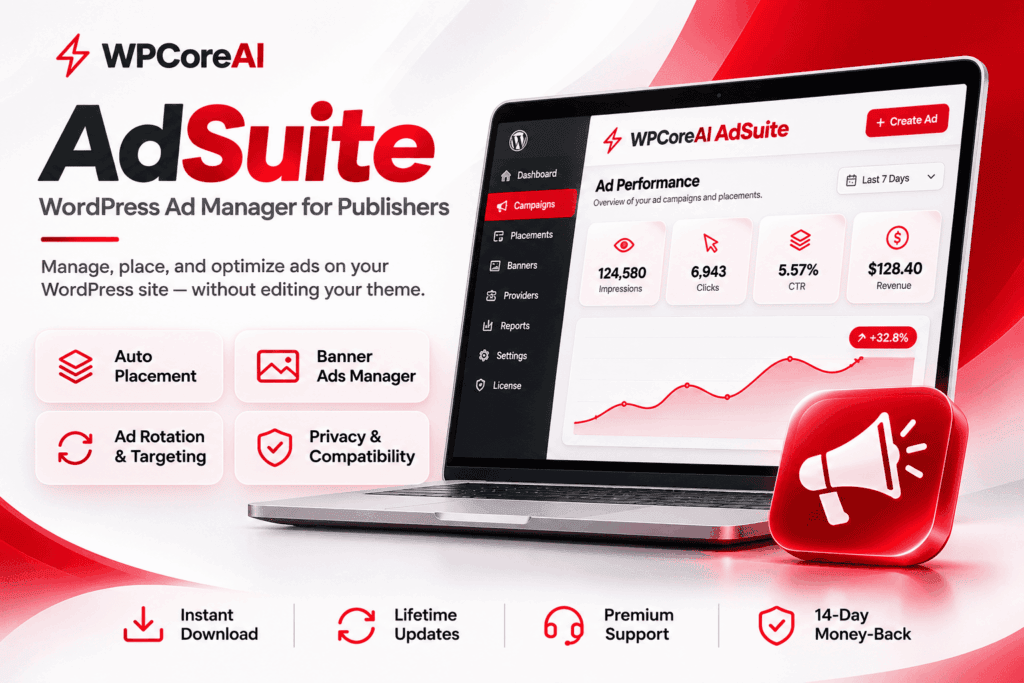
Open Settings → WPCoreAI AdSuite to manage advertisements, providers, placements, and delivery settings. The overview counts enabled records and reports whether the delivery database is available. When editing a saved item, preview a placement’s alignment and spacing or review a simplified banner preview. Admin previews keep live scripts and remote images from loading.
Image Banners, HTML Creatives, and Approved Ad Tags
Create, enable, disable, or delete banner records. Use an HTTPS image with an optional destination link, a supported subset of HTML, or an approved executable tag. Linked image banners require alternative text. Assign several banners to a named slot for rotation or use a banner’s individual identifier when a placement belongs to one sponsor.
Provider-Neutral Tags, Weighted Rotation, and Fallbacks
Store provider tags under unique identifiers and assign each provider to one or more slots. Choose fixed priority or weighted random selection as the default or for an individual slot. Lower priority numbers take precedence, and weights control the relative likelihood of selection among equally ranked candidates. A fallback provider becomes eligible when no preferred creative qualifies. Fallback selection happens before delivery, so a provider script that fails in the browser does not trigger another tag.
Automatic Ad Placement Through WordPress Hooks
Insert an ad before or after an article, after a chosen paragraph, at the opening of the page body, or in the footer. Set alignment and vertical spacing per placement. The built-in banner slot also has a quick placement switch for posts, posts and pages, or all singular content. Automatic positions use the theme’s available hooks or block output and can be set up from WordPress without editing theme files.
Gutenberg Block, Shortcodes, Widget, and PHP Helpers
Use the WPCoreAI Ad block in the editor, add the WPCoreAI AdSuite Ad widget to a classic widget area, or paste a shortcode such as [wpcoreai_ad slot="article-sponsor"]. The Advertisements screen supplies a shortcode for each banner. Developers can use sas_display_ad() or sas_get_ad_markup() in templates. Manual and embedded placements take precedence over automatic placements for the same slot when they can deliver an ad. Delivery also checks for duplicate creative markup within a page view.
Device and Content Targeting
Target placements or creatives by desktop, tablet, or mobile viewport, by WordPress post type, or by allowed and excluded content IDs. For example, a publisher can restrict a mobile sponsor banner to a specific group of posts. Banner and provider records also accept taxonomy term matches, and taxonomy-based automatic placement rules require Premium.
Popunder Slots and Visitor Frequency Controls
Configure Primary and Secondary popunder slots and place them automatically through the theme’s head or footer hook, or call them from a template. AdSuite selects at most one popunder per page view. The optional frequency policy uses first-party cookies and database reservations to enforce configured caps, cooldowns, and time windows. Group known countries into manual tiers and set fallback policies for unknown and unlisted locations. Country detection can use a trusted server value or explicitly trusted Cloudflare or GeoIP headers. Actual popunder behavior depends on the provider tag and browser.
Consent Rules and Executable Tag Controls
Require marketing consent, advertising consent, or both for executable tags. Static creatives can use a configured consent category, allow unknown consent when enabled, or operate without a consent category. A denial takes precedence when a category applies. AdSuite defaults to sandboxed frames for executable tags. Managing executable tags requires administrator access and permission to publish unfiltered HTML. New or changed executable creatives in the catalog also require explicit approval. Trusted tags can opt into page-level execution, with an explicit content ID required for embedded page-level tags.
Connect a consent platform through the supported WP Consent API signals, the sas:consent browser event, window.SASAds.setConsent(), or the sas_v4_consent_state WordPress filter. When an update makes a mounted ad ineligible, AdSuite removes it. Withdrawing consent for a page-level tag can reload the page. The plugin also adds suggested disclosure text to WordPress’s privacy-policy tools.
Checkout, Account, and Content Exclusions
Built-in exclusions cover common cart, checkout, payment, and account routes, including recognized WooCommerce and Easy Digital Downloads page settings. Password-protected content and visitors with the Subscriber role are also excluded. Add your own URL paths, path prefixes, content IDs, post types, and user roles. Developers can extend the policy through the sas_v4_excluded_page filter.
Cache-Aware Ad Delivery
The page contains placeholders, and a same-origin, rate-limited REST request selects creatives after the page loads. This lets delivery check current campaign settings and consent even when the page HTML is cached. Keep /wp-json/sas/v4/delivery and its query-string equivalent out of all cache layers, preserve the Origin and Cookie headers, and purge cached pages when you add or move placements. AdSuite skips its public assets when there are no enabled creative records or active built-in tags.
Advanced Placements and Country Targeting
Premium activation required. Add positions before or after a featured image, beside a selected Gutenberg block, after a populated widget area, or after multiple paragraphs. Match automatic rules by taxonomy term, and restrict individual banners and provider tags to selected country codes when a trusted country source is available.
Campaign Scheduling, Banner Duplication, and Responsive Sizing
Premium activation required. Set a banner’s start and end times in the WordPress site time zone. Duplicate a banner as a disabled copy so you can edit it before it goes live. Choose fluid or preset banner-container sizes independently for desktop, tablet, and mobile, and add CSS classes for custom styling.
Round-Robin Rotation and Smart Yield
Premium activation required. Cycle through equally ranked creatives, give eligible country matches preference, or select providers using imported effective cost per thousand impressions (eCPM). Performance-based selection uses a minimum impression sample and falls back to priority when comparable data is unavailable. Smart Yield can also use imported figures to promote eligible country traffic to the higher popunder tier while preserving manual exclusions and using manual tiers when the data is insufficient.
Local Delivery Analytics and Dated CSV Reports
Premium activation required. Enable optional local counters for selection attempts, ad markup returned, and eligible banner containers that become visible. Local events are grouped by provider, country, and device, with roughly 90 days of local history. Import dated CSV reports to compare those delivery signals with provider-reported impressions, USD revenue, and calculated eCPM over a chosen date range. Visibility counts measure eligible banner containers, while impression and revenue figures come from the imported report.
License Status and Delivery When Premium Access Ends
See which Premium controls are locked and review the current entitlement in the License & Updates screen. A verified AdSuite activation grants access to the Premium controls as a group. When the grant is lost, gated placements and scheduled or country-targeted creatives pause, advanced rotation falls back to weighted selection, and eligible core delivery can continue. Saved configuration is retained. The license-management link and managed updates depend on the store-issued licensing client.
Migration From Simple Ads Settings and Data Retention
AdSuite reuses the earlier plugin’s ad records, tables, and slot settings. Existing [sas_ad] shortcodes, saved ad blocks, classic widgets, and supported PHP helpers remain available. Deactivate Simple Ads Settings before activating AdSuite and keep its files for rollback. AdSuite preserves its stored data by default when deleted. An optional cleanup setting removes newer records and tables while retaining historical slot settings.